The TripLife Travel Passport, Page by Page
It is the first week of December and the year is already turning into memories: a long weekend in Lisbon, an autumn week in Kyoto, a flight home that felt shorter than it was. You open TripLife, tap the Passport tab, and the whole year is there, bound like a book. This guide turns its pages one by one, then shows what TripLife Pro adds.
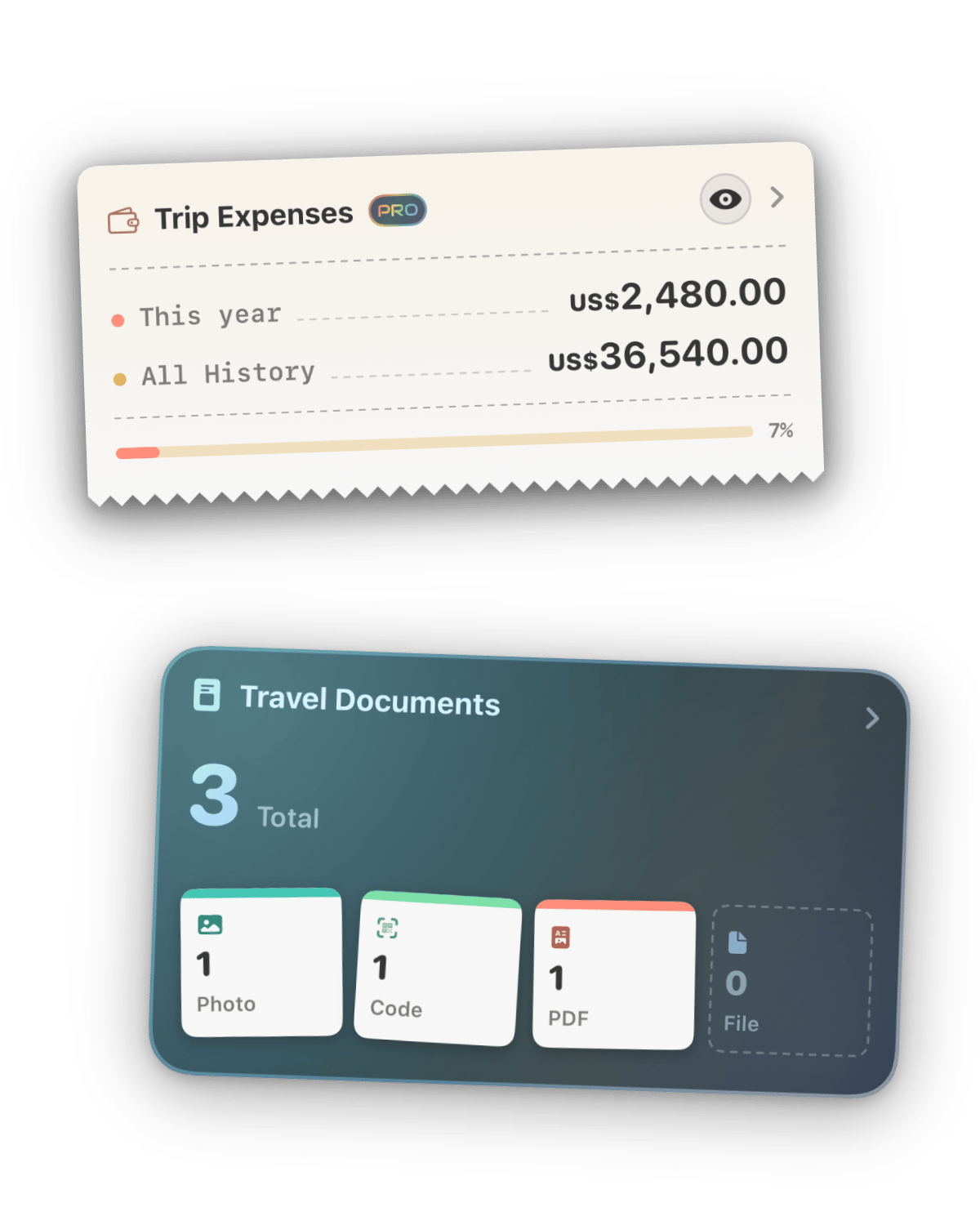
The Travel Passport is the Passport tab, the Profile tab of TripLife 2. Every trip you plan or import adds to it: stamps for the countries you crossed, a boarding pass for your flights, room keys for your hotels, a trail for the places you walked. The book in the pictures belongs to Maya, an example traveller with TripLife Pro. The Passport tab cards shown below belong to a second example traveller. All numbers are made up.
How the book works
The book has twelve leaves: the cover, a contents page and ten chapters numbered from 01. Flick a page to turn it, or tap the right edge to go forward and the left edge to go back. Index tabs along the edge open any chapter. Pinch, or tap the lens beside the caption, to read closer. Each leaf is a summary: tap what it shows and, in most chapters, you open the full page behind it.
The cover and the contents
Closed, the passport reads Travel Passport and, in small letters, Tap to open your passport. The leather takes the colours of your theme's sky, and a plate gives your tier and home city: Maya's reads Explorer, Lisbon. Open it and the contents page lists your name and home city, then a row for every chapter with a live number: days travelled, trips, countries, flights, hotels, places, distance, spending, documents and saved places. Tap a row to jump there.
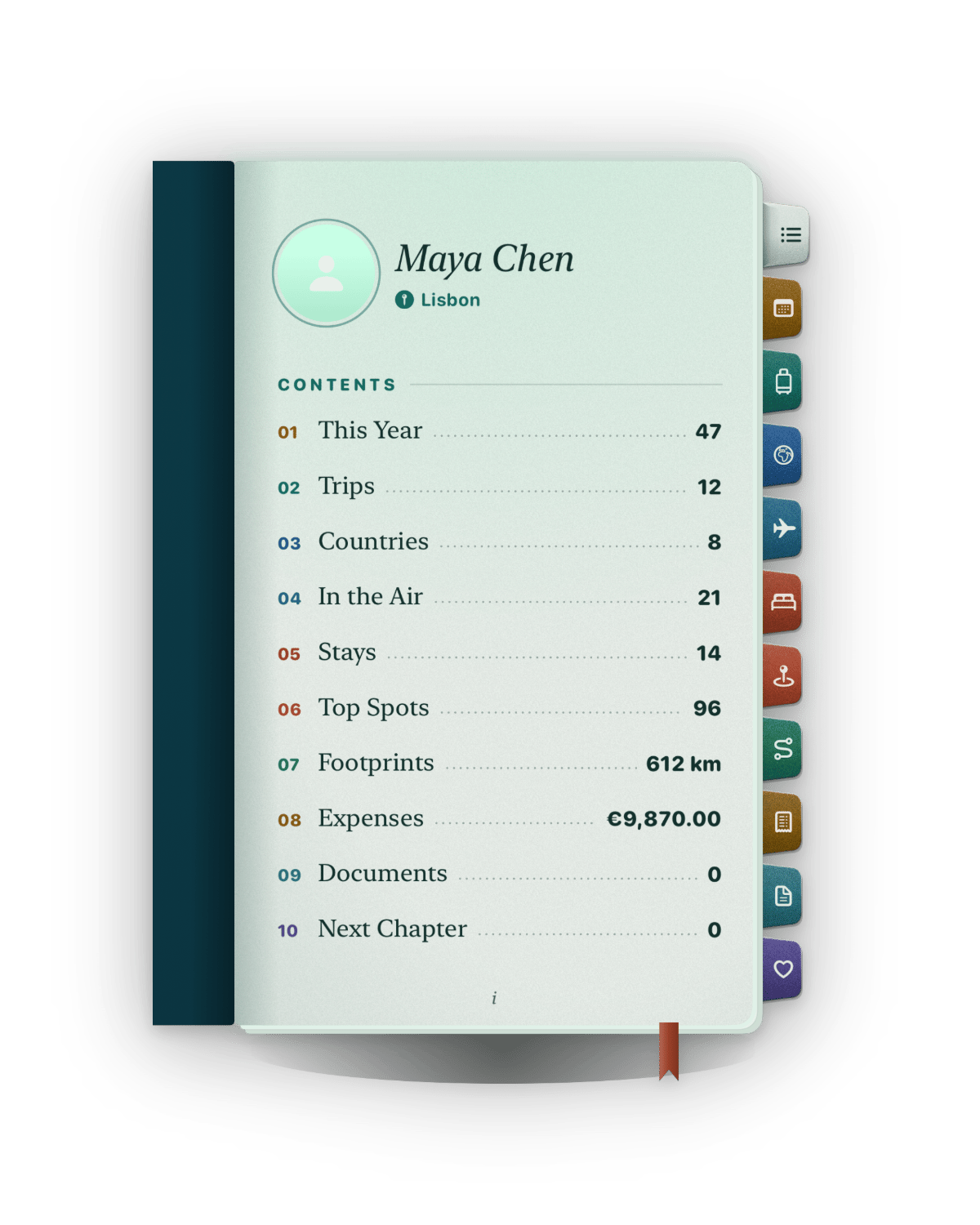
01 · This Year
The page to open in December. It sets the days you travelled this year against last year, draws both as tally marks and sums it up: Ahead of last year's pace, Level with last year, day for day, or Behind last year's pace, with plenty of year left. Maya has 47 days against 31, so hers reads ahead.
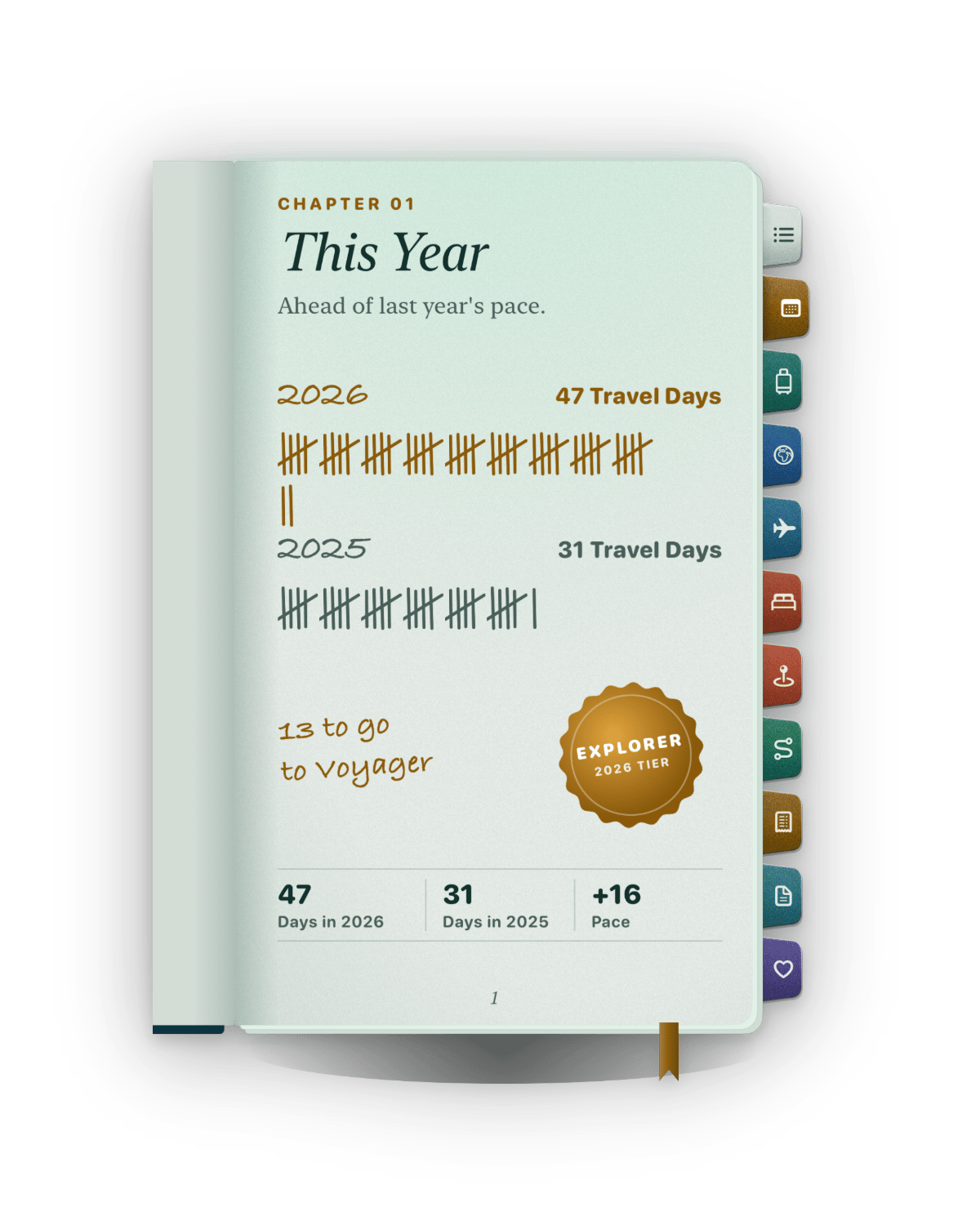
Those days, from trips that are over and started this year, also set your tier: Beginner under 20 days, Explorer from 20, Voyager from 60, Globetrotter from 120. A seal shows the tier and the days left to the next one, here 13 days to Voyager. Each tier makes the book finer, from an Explorer's iridescent ring to a Globetrotter's holographic sheen. Share Your Year, at the foot, turns the page into a picture.
Trips and Countries
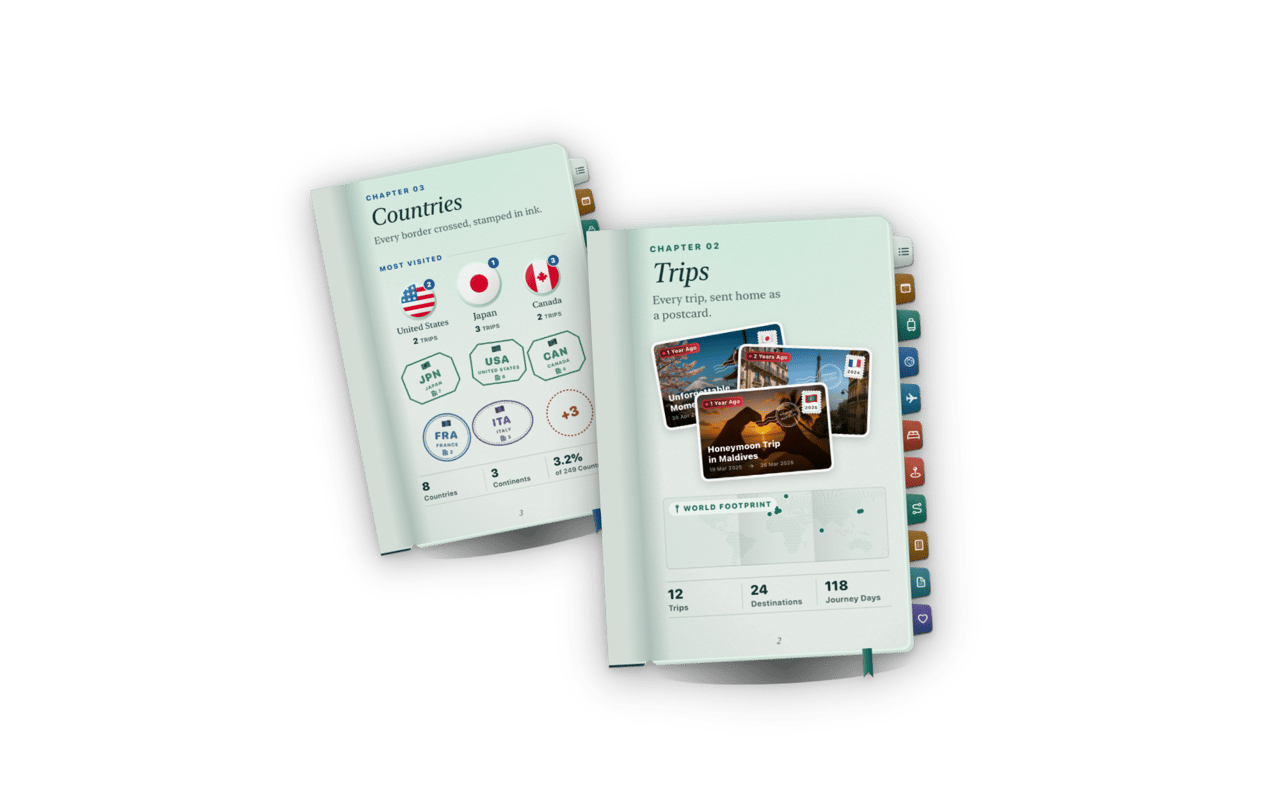
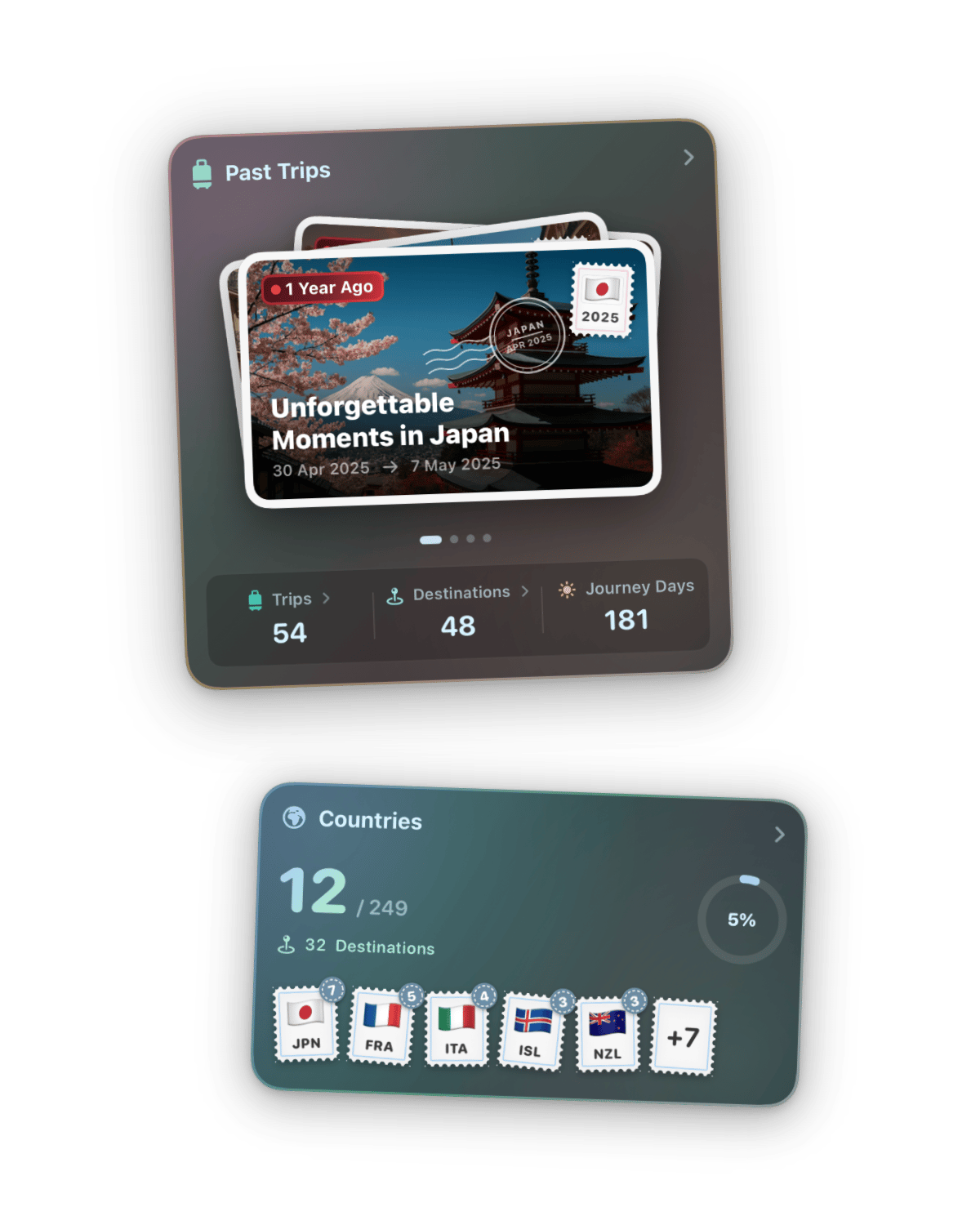
Trips sends every trip home as a postcard, above a world map of your places. A control lifts those places onto a globe: drag to turn it, and tap Back to Passport to close it. Countries stamps every border you cross in ink, and puts your three most visited countries on the page as ranked round medals, with counts of your countries, continents and the share of the world you have covered.
In the Air and Stays
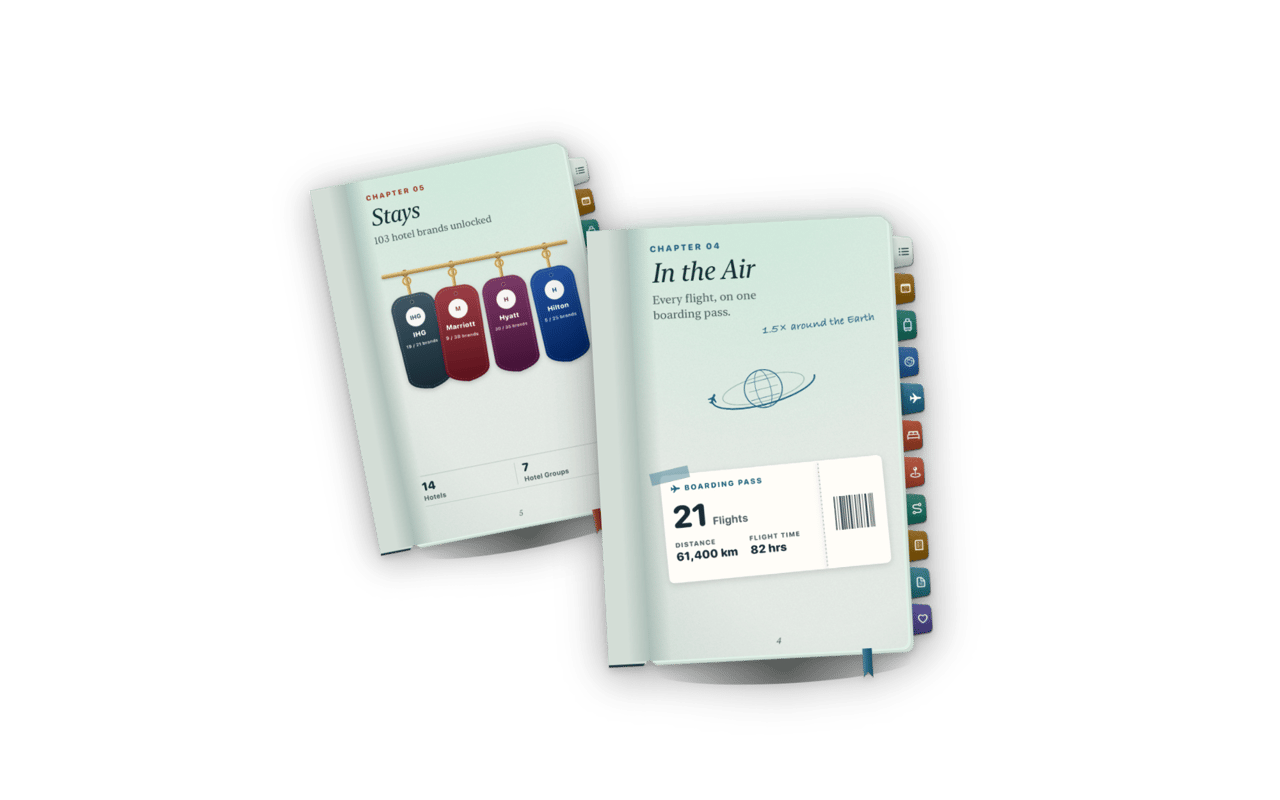
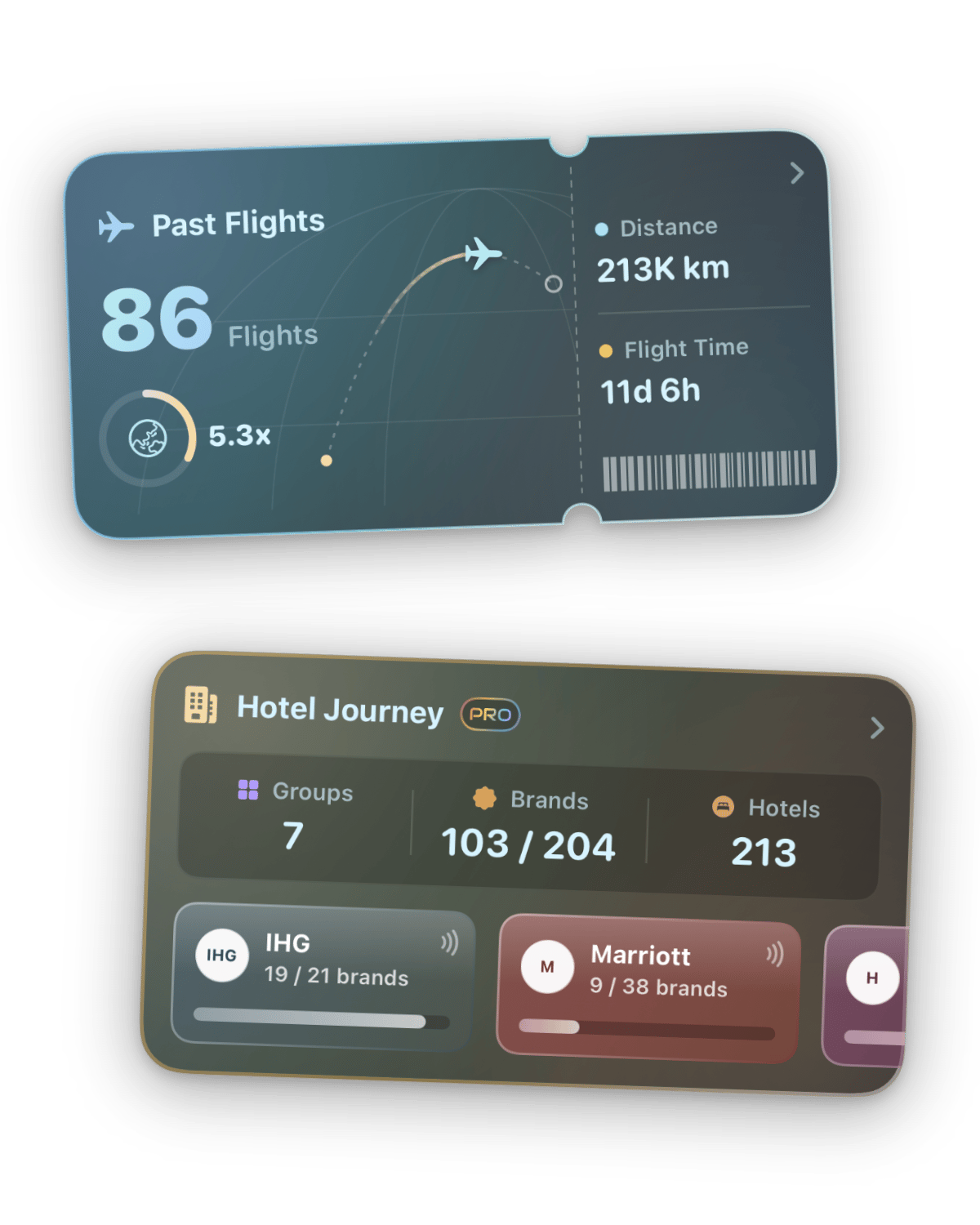
In the Air keeps every flight on one boarding pass with your flights, distance and flight time, and a note such as 1.5× around the Earth once you have flown a tenth of a lap. Stays hangs your hotels as keys on a rack and counts hotels and hotel groups. Stays needs TripLife Pro; without it, the chapter opens only onto stays you have already kept.
Top Spots, Footprints and Expenses
Top Spots ranks the kinds of places you visit most on numbered tickets, with each one's visits and share of all your visits. Footprints draws the trail your recordings made, with the distance at its end. Expenses is a till receipt of what your trips cost this year and in total, hidden behind •••• until you show it. Footprints and Expenses are Pro chapters, though Footprints also opens once you have a recording.
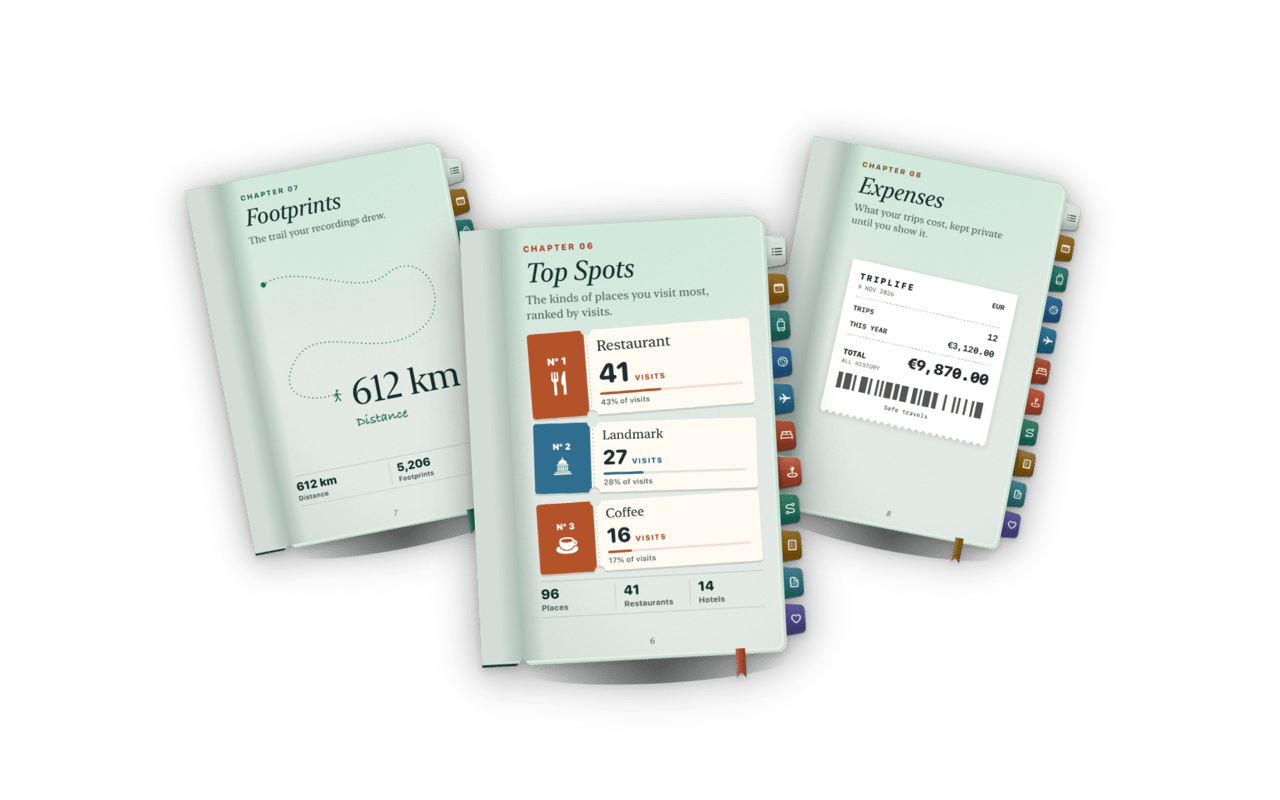
The last two chapters close the book. Documents tucks in the tickets, passes and bookings you saved. Next Chapter holds Your next stamp and the places you saved for later, which needs Pro.
Behind Trips and Countries
Tap Trips and you land on your past trips: Travel Days by Year, your Longest Trip and First Trip, then the full list to filter, sort and search. Tap Countries and the page adds a First Stamp, a Newest Stamp, a New Continent when one arrives and a Still to Stamp card, beside your Most Visited podium and your Continents, Coverage and Explored counts. Filter and sort the countries, or share the page. These records come from your past trips alone.
Behind In the Air and Stays
Tap the boarding pass and In the Air shows records, Longest, Most Flown, Home Airport and Airlines, and Moments such as your First Flight, Flight 10 or Flight 25, above a flight list you can filter, sort and search. A globe control shows your flights, and All Flights opens the list. Stays opens as Hotel Journey: with Pro, a Collection card for each hotel group with your progress through its brands, then your Longest Stay and a Show All Stays list.
Behind Top Spots and Footprints
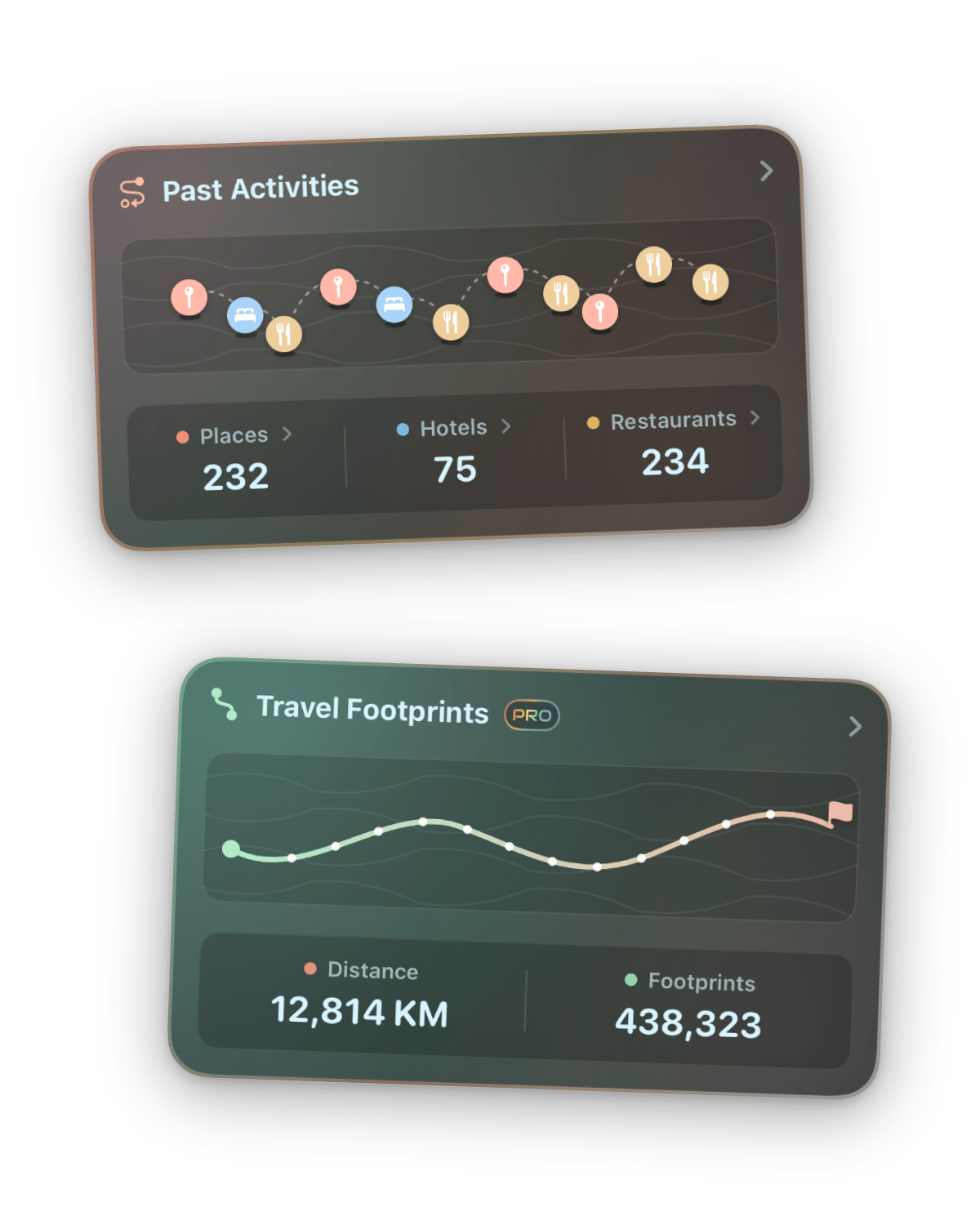
Top Spots counts your visits and the share each kind takes, names the city you visit most, Mostly in that city, and your Most Revisited place. Its filter starts at All Kinds and narrows to one. Footprints puts your distance in scale, in marathons once you pass one and in laps Around the Earth when the trail is long enough, with your First Footprints and Most Recorded trip.
Behind Expenses and Documents
Expenses keeps your Days Away and spending Per Day Away, then Where It Went, your Best Value and Biggest Trip and, where you set a budget, how much of it you used. Documents flags what Expires Soon, remembers what you First Kept and lets you add more. Next Chapter opens your saved places, grouped All or by Country, with search and Show on Map, Edit and Delete on each place.
Share a page
Most pages can leave the app as a picture. Tap the share mark at the foot of a page, long-press the page, or use the share button in the navigation row. The picture carries the page's title, its line and the figures the page leads with, your name, tier and the date, without the Pro badge or in-app links. Documents and Next Chapter stay private; Expenses shares only with Pro and while amounts show.
Eight themes to make it yours
A theme sets the scenery and accent of your Passport, and its passport is designed from cover to pages: leather, foil, paper and glow all follow it. TripLife 2 has eight. Pick one in Settings, under Personalization, where each tile is a live sample of the sky. Aurora Chase is where everyone starts, and Desert Mirage is free too. Six need TripLife Pro: Island Escape, Alpine Expedition, Coastal Drive, Rainforest Odyssey, Old Town Stroll and Neon Metropolis. Rainforest Odyssey and Neon Metropolis are night themes with dark paper.
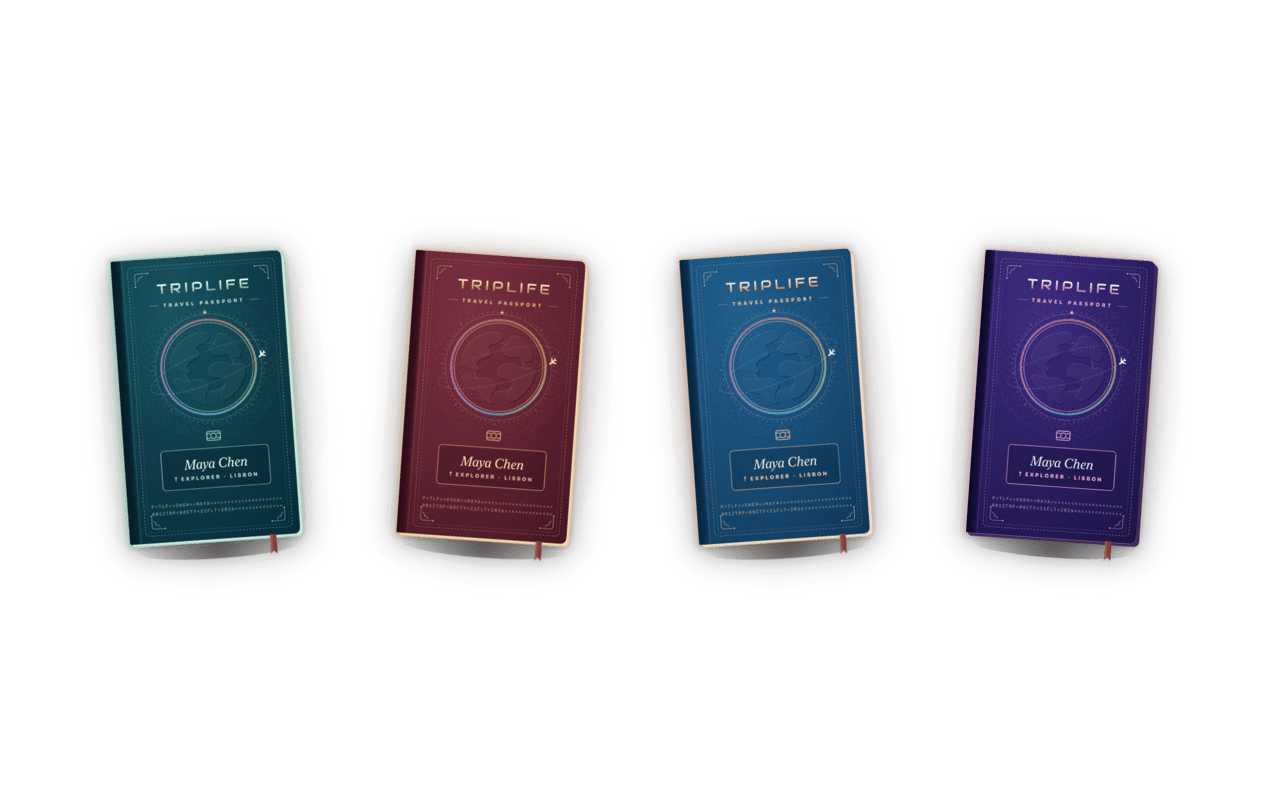
Without Pro, a locked theme keeps its colours but wears a PRO tag and a lock. Tap it and TripLife Pro opens; after you subscribe, that theme is applied. If Pro ends, your Passport returns to Aurora Chase and keeps your choice for when Pro comes back.
What TripLife Pro adds
- Themes & Skylines: Six more themes, each with a matching passport, and city skylines from your travels.
- Hotel Journey: Stays always opens, with hotel brands, Collection cards and your progress.
- Travel Footprints: Footprints opens before your first recording, and trip recording is a Pro benefit.
- Expense Insights: Expenses shows your totals and can be shared while the amounts show.
- Saved Places: Next Chapter opens your saved places, with map, edit and delete.
- Free for everyone: This Year, Trips, Countries, In the Air, Top Spots and Documents, plus Aurora Chase and Desert Mirage.
Common questions
Why is my tier lower than I expected?
It counts only this year's travel days, from trips that are over and started this year. A trip still ahead of you does not count yet.
Where do I find the Passport?
On iPhone and iPad, as the Passport tab, except at accessibility text sizes. On a Mac, the User Center keeps its scrolling cards.